Resources
In Kanzi a resource is an item you can reuse in different parts of your application. For example, a Mesh Data resource defines the geometry of a Model node and you can use the same Color Brush brush in different nodes to set the Foreground Brush or Background Brush properties.
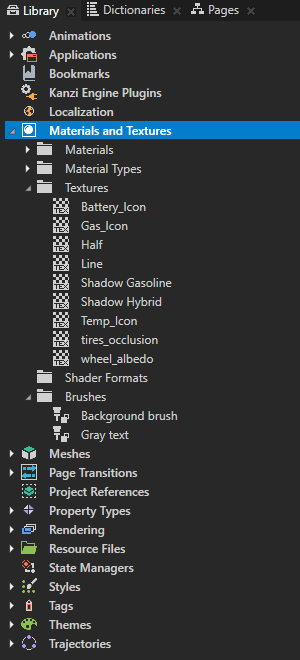
You can find all resources in a Kanzi Studio project in the Library window.
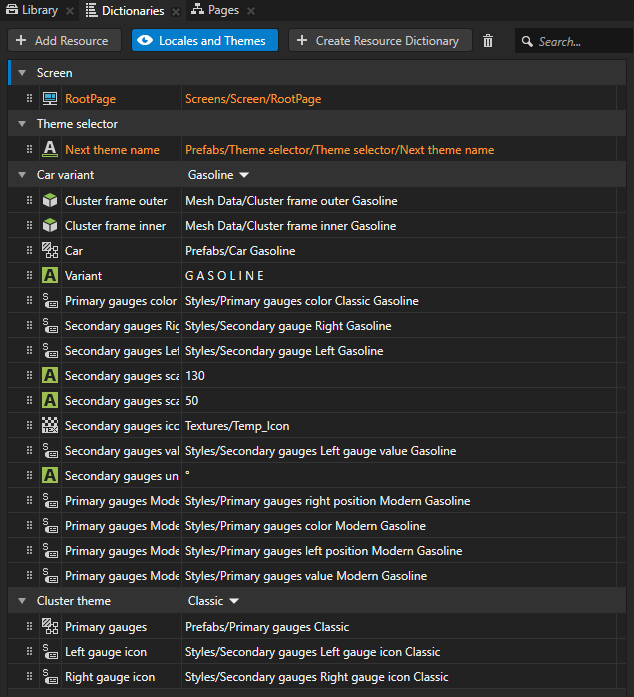
The Dictionaries window shows the resources in the resource dictionaries accessible to the node you select in the Project and the resources in the localization tables and theme groups in the project.
Library views
By default Library shows all the resources in a project. Kanzi Studio provides Library views to show only selected resources in your project. You can enable these views in the menu:
- Animations shows animation data, animation clips, timeline sequences, and timeline entries in your project. See Animations.
- Bookmarks shows the shortcuts in your project. See Using bookmarks.
- Rendering shows render passes and filters in your project. See Rendering and Filters.
- Kanzi Engine Plugins shows the Kanzi Engine plugins in your project. See Kanzi Engine plugins.
- Localization shows the localization tables in your project. See Localization.
- Materials and Textures shows brushes, materials, material types, shader formats, and textures in your project. See Using brushes, Material types and materials, Using binary shaders, and Textures.
- Meshes shows the mesh data in your project. See Using meshes.
- Property Types shows the custom property types in your project. See Property types.
- Resource Files shows the resource files in your project grouped by file type. See Resource files.
- State Managers shows the state managers in your project. See State manager.
- Styles shows the styles in your project. See Using styles.
- Textures shows the textures in your project. See Textures.
- Themes shows the themes in your project. See Theming your applications.
- Trajectories shows the trajectories in your project. See Trajectories.
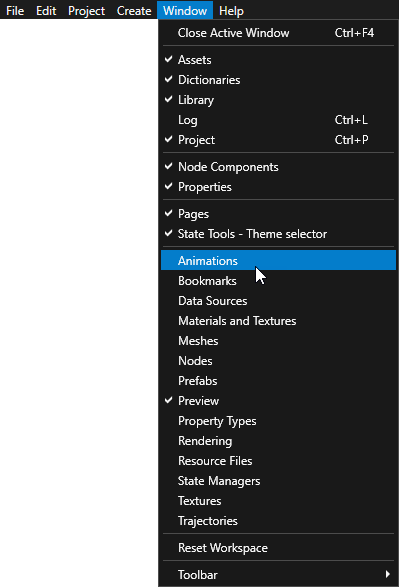
You can add any window as a tab to any other window to see more than one type of content in the same window. See Customizing the Kanzi Studio interface.
Load resources asynchronously
In Kanzi you can load resource dictionaries of prefabs you use in your project before your Kanzi application shows them to users. For example, you can create a loading screen that your users see while Kanzi is loading the resource dictionaries of the rest of your application in the background. See Loading prefab resources asynchronously.
See also
Using resource dictionaries
Resource management
Setting how Kanzi Engine handles unused resources
Loading prefab resources asynchronously

Open topic with navigation